Import audio
Start with a local file or microphone recording. GigaChords focuses on the audio you bring.
GigaChords listens to your audio, maps the chord changes, and gives you a practice timeline you can transpose, loop, edit, save, and follow in real time.
The workflow
Most chord apps start with a catalog. GigaChords starts with your audio, then turns it into a readable practice map.
Start with a local file or microphone recording. GigaChords focuses on the audio you bring.
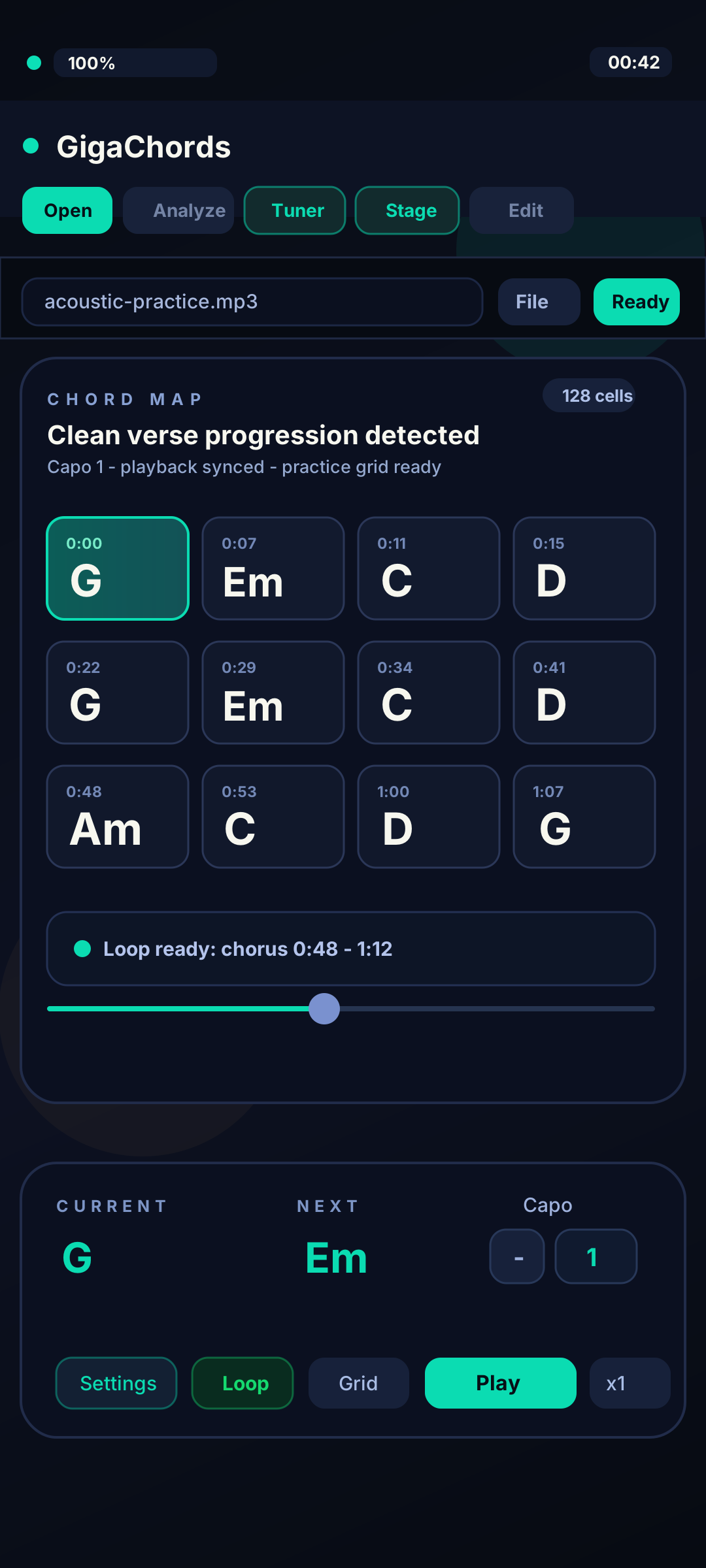
Build a chord timeline with current and upcoming chords, beat-aware cells, and readable flow.
Transpose, set capo, loop difficult parts, save charts, and keep improving the map.
Why it feels different
Follow the current chord, see what is coming next, slow down, loop a section, and keep playing.
Keep the current and upcoming chord in view with rotatable guitar, ukulele, and piano diagrams.
Repeat a difficult section, seek on the timeline, and change playback speed while the chart stays in sync.
Automatic detection is a starting point. Correct chord cells and timing by ear, then keep the version you trust.
Feature set
Analyze a local song file or microphone recording on your device and follow the result with a moving playhead.
Keep the current and upcoming chord in view with rotatable guitar, ukulele, and piano diagrams.
Move the chart for your voice, guitar shape, or rehearsal key without rewriting the song.
Repeat a difficult section, seek on the timeline, and change playback speed while the chart stays in sync.
Edit the full chord grid, then switch to a focused waveform Stage view with large current and next diagrams.
Build a practice library of chord maps and reopen saved charts without waiting on a fresh analysis.
Built for trust
Dense mixes, unusual harmony, and fast passing chords can fool any chord detector. GigaChords is tested with real songs, keeps every chart editable, and sets clear product limits.
Automatic chord detection is difficult, especially with dense mixes, unusual harmony, fast passing chords, or noisy recordings. GigaChords is tested with real songs, keeps every chart editable, and focuses on useful results instead of pretending every detection is final.
No. V1 analyzes local files and microphone recordings on your device. Network access is used for sign-in, subscription verification, launch updates, and feedback you explicitly choose to send; chord feedback does not include the audio file.
Windows supports MP3 and WAV. Android supports MP3, WAV, M4A, MP4, AAC, OGG, OPUS, FLAC, and WEBM, subject to the codecs available on the device.
Who it is for
Find the progression, set the capo, loop the rough chord change, and keep playing.
Read moreMove a song into your range without rewriting the entire chart by hand.
Read moreTurn student song requests into a starting chart for lesson prep.
Read moreImport a song file or record through the microphone, then turn that audio into a chord timeline for practice.
Read morePricing
Free includes the full practice and editing workflow with three full-song analyses each month and up to three saved songs. Pro removes those limits; $6.99 monthly and $49.99 annually are confirmed prices for the limited launch/beta period.
No subscription
The complete practice workflow with clear monthly analysis and saved-library limits.
limited launch price / month
For regular practice without the Free analysis and library caps.
limited launch price / year
The same Pro access at the confirmed, limited-time annual launch price.
FAQ
Automatic chord detection is difficult, especially with dense mixes, unusual harmony, fast passing chords, or noisy recordings. GigaChords is tested with real songs, keeps every chart editable, and focuses on useful results instead of pretending every detection is final.
No. V1 analyzes local files and microphone recordings on your device. Network access is used for sign-in, subscription verification, launch updates, and feedback you explicitly choose to send; chord feedback does not include the audio file.
Windows supports MP3 and WAV. Android supports MP3, WAV, M4A, MP4, AAC, OGG, OPUS, FLAC, and WEBM, subject to the codecs available on the device.
The public V1 app imports local audio files and microphone recordings. Online-link imports, a public song catalog, and browser analysis are not V1 features.
Windows and Android are the V1 launch platforms. Get the official download link when your platform is available.
GigaChords is getting its final polish before the Windows and Android release. Leave your email and you will get the official download link the moment the curtain lifts.